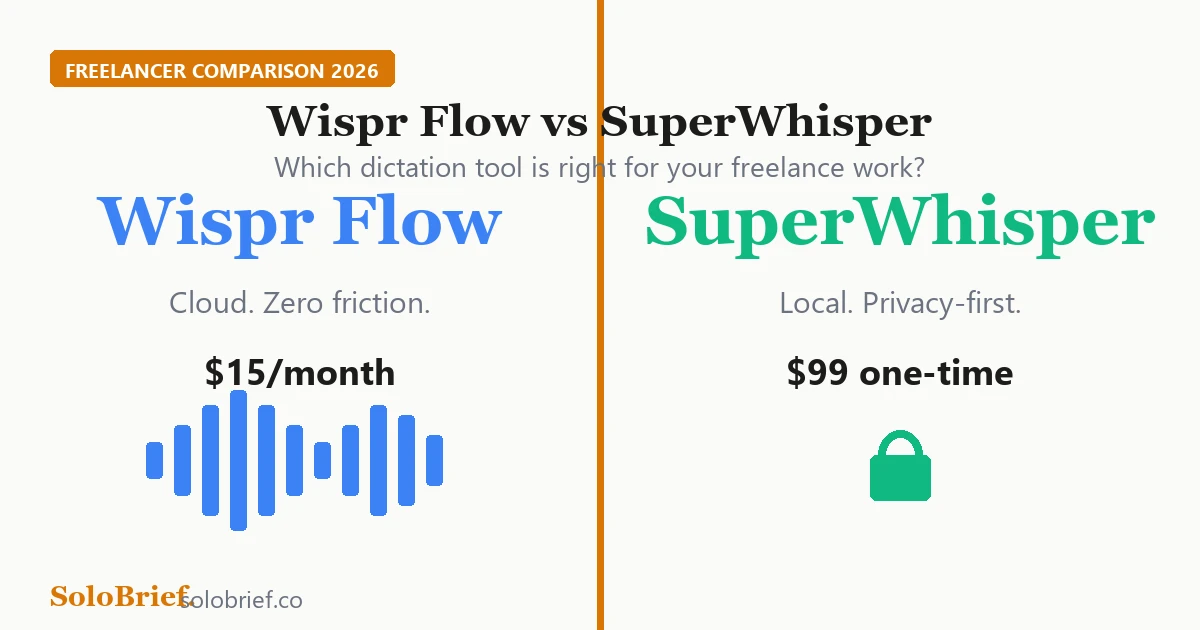
Card answering "Does Hostinger have a free plan?" with "No." Two options are listed instead: a 30 day money-back guarantee, and free static-site hosting elsewhere that cannot run a full WordPress site.

Does Hostinger Have a Free Plan? Not for Hosting

This article contains affiliate links. If you sign up for Hostinger through our links, we may earn a commission at no extra cost to you. Every Hostinger fact below was read on a Hostinger page on 13 October 2026, and I share my own experience only where I have it. TL;DR No, not for web hosting. Hostinger’s help centre says standard hosting plans “do not include an entirely free tier” (Hostinger help centre, 13 October 2026). ...

October 15, 2026 · 5 min · G Mohan Jayanth
Two automation workflows compared: 30 actions processing 1 item costs 30 tasks, while 3 actions processing 200 items costs 600 tasks

What Counts as a Zapier Task? Why a 3-Action Zap Can Cost 20x a 30-Action One

This page contains one affiliate link, marked where it appears. It costs you nothing extra. TL;DR Zapier and Make bill per item processed, not per workflow. Four actions looping over 20 rows is 80 billable units per run, not 4. n8n bills per execution. The same run counts once whether the workflow has 3 nodes or 30, and whether it processes 1 item or 200. This is the whole difference between the models. Zapier does not bill the trigger, failed actions, or most of its built-in tools (Formatter, Paths, Filter, Delay, Looping, Digest, Storage, Tables). Code by Zapier, AI by Zapier and calls to a sub-Zap do use tasks. It is easy to over-count. The fix is almost never a shorter workflow. It is filtering earlier, batching, or moving the fan-out heavy job to per-execution billing. The bill came in higher than the plan you thought you were on, and none of the automations you built last month look big enough to explain it. The one you suspect is probably not the one spending the money. ...

August 23, 2026 · 13 min · G Mohan Jayanth
An automation pipeline with a human review step before anything is sent

How Freelance Writers and Designers Can Automate Client Admin With AI

Disclosure: this page contains one affiliate link, to Make, marked where it appears. If you sign up for a paid Make plan through it, SoloBrief earns a commission at no extra cost to you. Every other link goes to our own free tools, our other articles, or the source behind a claim. TL;DR Automate the admin around your craft, not the craft. Client intake, proposal follow-ups, invoice reminders and turning finished work into social drafts are good candidates. Pricing a job, reading a brief and choosing the creative direction are not. The three main tools bill in different units. Zapier counts tasks, Make counts credits and n8n counts workflow executions, so the same job can cost very different amounts. Cost yours in our free automation cost calculator before you subscribe. Most problems reported on the vendors’ own forums are access and allowance problems: logins that expire, loops that use far more allowance than expected, and free allowances used up during testing. Keep a review step. Have the automation prepare drafts rather than send them, so nothing reaches a client or your feed unread. If you write or design for clients, the work you are paid for is the writing and the design. The work that eats the week is everything around it: chasing a signed proposal, sending the same kickoff questions to every new client, reminding someone that an invoice is overdue, turning a finished piece into posts for your own feed. This guide is about that surrounding admin. ...

August 11, 2026 · 12 min · G Mohan Jayanth
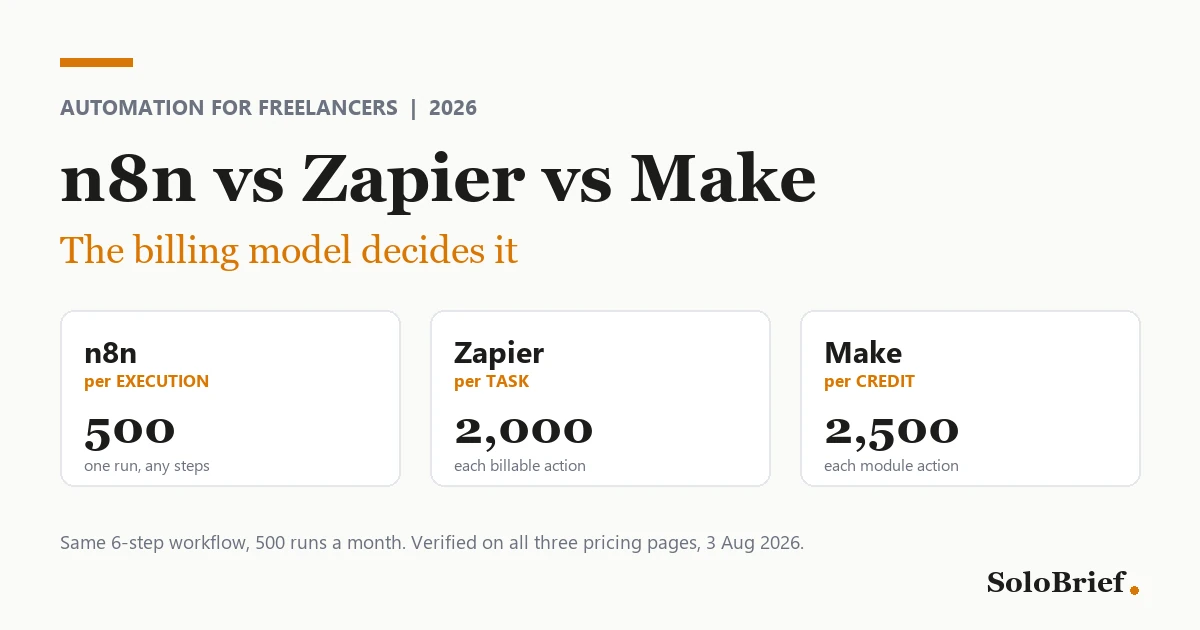
The same workflow billed three ways: 2,000 Zapier tasks, 500 n8n executions, 2,500 Make credits

Zapier vs n8n vs Make Cost Calculator: What One Workflow Bills

Disclosure: this page contains one affiliate link, to Make, and it is labelled where it appears. If you sign up through it we may earn a commission at no extra cost to you. Zapier and n8n are linked only to their own pricing pages, with no affiliate arrangement. The calculator is free, needs no signup, and runs entirely in your browser. TL;DR Each tool counts a different unit. Zapier bills tasks for successful actions, n8n bills one execution per workflow run, and Make bills credits for module operations (Zapier, n8n, Make Help Center). Items processed drive the bill, not the number of steps. On Zapier and Make every action repeats for every item; on n8n one run counts once however many steps or items it has. Six visible steps at 500 runs a month is 2,000 Zapier tasks, 500 n8n executions and 2,500 Make credits, for standard (non-AI) apps and an instant trigger. The worked example below shows the arithmetic. AI steps, code and some connectors cost more than one unit on Zapier and Make. Both vendors say so on their own pages, so the calculator’s numbers are a floor for workflows that use them. This gives you usage, not an invoice. Prices change, and Make’s pricing page loads its prices with JavaScript that our checker cannot read, so this page quotes no Make plan price. The one Make plan figure it uses, 1,000 credits a month on Free, was read on the page by the owner on 12 October 2026, not by script (Make pricing). Zapier, n8n and Make do not bill the same thing, so one workflow produces three different monthly numbers. This calculator applies each vendor’s published billing rule to your workflow and gives you all three. Every rule below links to the vendor page it comes from, read on 9 October 2026. ...
August 9, 2026 · 15 min · G Mohan Jayanth
n8n vs Zapier vs Make automation comparison for freelancers 2026

n8n vs Zapier vs Make for Freelancers 2026: The Billing Model Decides It

TL;DR The billing unit decides the cost, not the feature list. n8n bills per workflow execution, Zapier per successful action, Make per module action. A 6-step workflow running 500 times a month is 500 n8n executions, 2,000 Zapier tasks and 2,500 Make credits. Pick Zapier if your automations are small and you never want to think about them, Make if you want most of n8n’s power without the setup cost, and n8n if you run high-volume workflows and are comfortable hosting something. Zapier is the easiest to learn; n8n is the cheapest at volume. Pricing verified against all three vendor pages on 3 August 2026. Most people arrive at this comparison holding an invoice. The workflow did not change, the volume did, and the plan that covered January had quietly stopped covering March. ...

August 3, 2026 · 21 min · G Mohan Jayanth
Rank Math review for freelancers 2026, WordPress SEO plugin tested on a client site

Rank Math Review for Freelancers 2026: 6 Months on a Client Site

This article contains affiliate links. If you buy through our links, we may earn a commission at no extra cost to you. I’m writing this from six months of first-hand use, not a feature-list summary. TL;DR Rank Math is the pick for freelancers who build or manage WordPress sites, especially anything with a local-SEO angle. Rated 4.5/5 after six months on a client’s WordPress site. The free version is genuinely capable. PRO adds Content AI, advanced schema, deeper local SEO and analytics integration, from EUR 7.99/month billed annually at the current promotional rate. Setup is the easiest part: the wizard connects Google Search Console and submits your sitemap for you. Skip it if your site is static (Hugo, Astro, plain HTML). Rank Math is WordPress-only. Quick VerdictRating4.5/5PriceFree plan available; PRO EUR 7.99/month billed annually (EUR 95.88/year, ex VAT), verified 9 August 2026 and re-verified at source 19 August 2026. Rank Math prices in euros, and the current rate reflects a running promotional discountBest forFreelancers who build or manage WordPress sites, especially anything with a local-SEO angleSkip ifYour site is static (Hugo, Astro, plain HTML): Rank Math is WordPress-onlySet up Rank Math → An SEO plugin stops being a personal preference the moment you sign work that puts other people’s sites in your care. The licence becomes a per-site line item, somebody who is not you may have to log into it, and the thing you picked casually for your own portfolio is now running on work you are being paid for. ...

June 6, 2026 · 14 min · G Mohan Jayanth
Planning the pages of a freelance portfolio website

How to Launch a Freelance Portfolio Website in One Weekend (2026)

This article contains affiliate links. If you buy through them, we may earn a commission at no extra cost to you. This is a researched guide, not a hands-on review. Prices come from the provider’s own page, with one marked exception from a checkout page. One section is the author’s own experience of hosting a WordPress site on Hostinger, and it says so. TL;DR One weekend is enough. Saturday: domain, hosting, WordPress. Sunday: five pages and three case studies. Five pages: Home, Work, About, Services, Contact. Nothing else until those win you an inquiry. Case studies beat thumbnails. The problem, what you did, the result. Know the four-year cost before you buy: $143.52 upfront on Hostinger Premium, then $10.99/month at renewal. Both are before tax (Hostinger, read 12 October 2026). Checkout adds local tax: the same plan showed $169.35 at checkout in India. Give the site a keep-or-cut rule, the same as every other subscription in your tool stack. If you’re a freelance copywriter, designer, VA or coach, you’ve probably done the audit at least once: the card statement, read line by line, every subscription cost questioned. Is this one earning its keep, or do I cancel it? A portfolio website is the one line you can’t judge until it exists, so most solo freelancers put it off for months. ...

May 31, 2026 · 13 min · G Mohan Jayanth
Setting up WordPress on Hostinger hPanel for a freelance website

How to Set Up WordPress on Hostinger: A Freelancer's Walkthrough (2026)

This article contains affiliate links. If you buy through our links, we may earn a commission at no extra cost to you. We only recommend tools we’ve researched thoroughly, and I share my own experience where I have it. TL;DR Buy from Hostinger’s WordPress hosting page, not the general one. Hostinger sells a separate product called managed hosting for WordPress, with staging, automatic WordPress updates and a malware scanner listed as part of it. Pick the plan by site count. Up to three sites: Premium. More than three, or you want daily backups: Unlimited. Let hPanel install WordPress. The one-click installer handles the database, core files, and admin account. Add five plugins, not fifty. SEO, caching, security, backups, and an optional page builder. Budget for the renewal, not the promo price. Premium is $2.99 a month on a 48 month prepay and renews at $10.99 (Hostinger WordPress hosting, 10 October 2026). Building the site is rarely what eats the day. The back and forth is: the registrar tab, the host tab, the theme demo that wants one more plugin, the client asking for a preview link while you are half way through the install. The afternoon goes, and the site itself accounted for twenty minutes of it. ...

May 31, 2026 · 13 min · G Mohan Jayanth
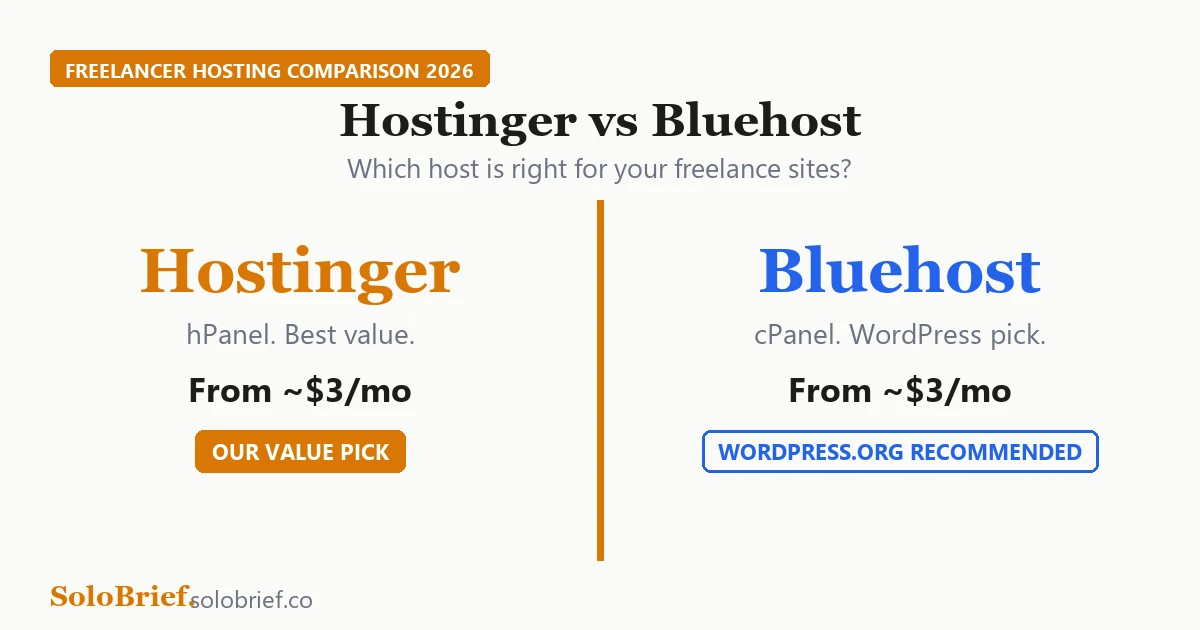
Hostinger vs Bluehost comparison for freelancers 2026

Hostinger vs Bluehost 2026: Which Is Better for Freelancers?

This article contains affiliate links. If you buy through our links, we may earn a commission at no extra cost to you. We only recommend tools we’ve researched thoroughly, and I share my own experience where I have it. TL;DR Hostinger Premium is $2.99 a month on a 48-month prepay and renews at $10.99. Bluehost Starter is $3.99 a month on a 36-month prepay and renews at $9.99 (both pricing pages, 11 October 2026). Budget for the renewal rate. Your site count over the term decides which plan tier you pay for, so check the site cap before the price. Hostinger costs less across the prepaid term, Bluehost costs less once both have renewed, and hPanel is easier for getting WordPress live. Bluehost suits you if you want the WordPress.org-recommended host, cPanel, or phone support. The hosting bill that sends most freelancers to this comparison is the second one. You prepaid at a few dollars a month, the term ended, and the renewal charge landed well above the plan you thought you were on. Or you are about to buy, and you would rather that did not happen to you. ...

May 30, 2026 · 15 min · G Mohan Jayanth
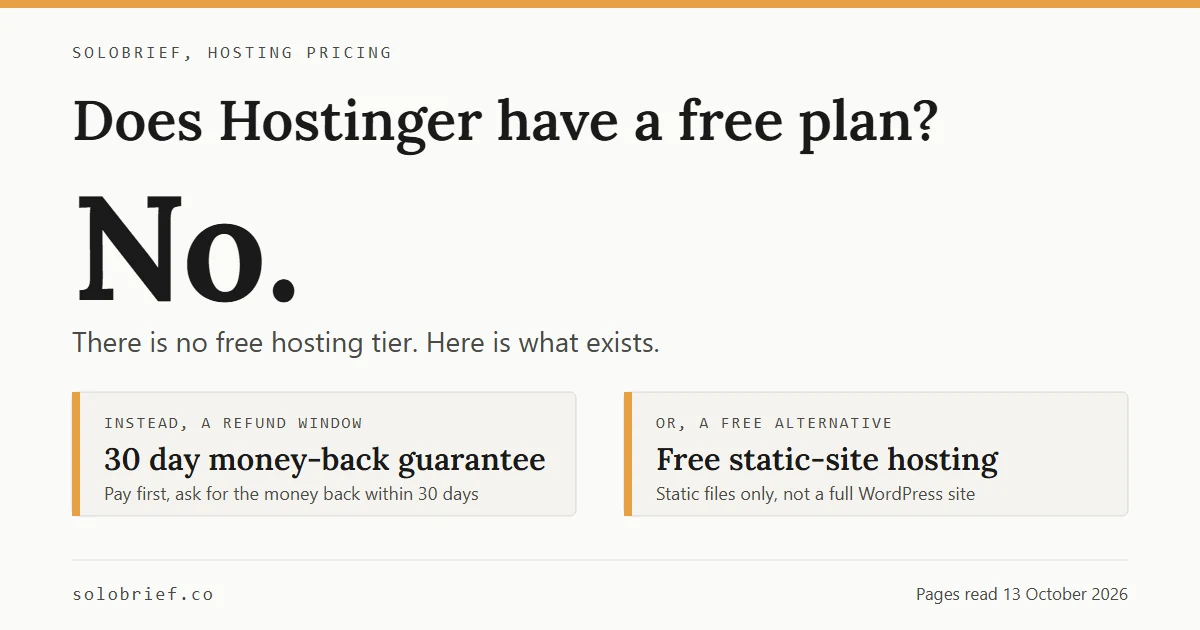
Wispr Flow vs SuperWhisper comparison for freelancers 2026

Wispr Flow vs SuperWhisper 2026: Which Voice Dictation App Should Freelancers Use?

This article contains affiliate links. If you buy through our links, we may earn a commission at no extra cost to you. We only recommend tools we’ve researched thoroughly. TL;DR Wispr Flow is better if you want frictionless, instant dictation that works in every app with zero setup. $15/month, with a free plan. SuperWhisper is better if you handle confidential client work. It processes audio on your machine, works offline, and costs $12/month or $99 one-time. Wispr Flow is more accurate on short-form; SuperWhisper’s Ultra mode wins on long-form. Both now run on Mac and Windows. Wispr Flow also covers iPhone and Android, SuperWhisper covers iOS. Think about the last project kickoff that took a week. Not because the work was hard, but because every step of it was a message you had to stop and type: the scoping reply on Monday, the revised scope on Wednesday, the confirmation on Friday. That back-and-forth is where a freelance week quietly goes. ...

May 24, 2026 · 13 min · G Mohan Jayanth