| Rating | 4.0/5 |
| Price | $15/month ($144/year) |
| Best for | Mac-using freelancers who write 2+ hours of client emails and overhead communication per week |
| Skip if | Windows users, long-form creative writers, or anyone working with strict NDA-covered client content |
| Start Wispr Flow free trial → | |
Think about how much time you spend writing things that aren’t really “writing”, client emails, Slack updates, quick content outlines, proposal summaries. For most freelance writers, that overhead is 45 minutes to an hour a day. It’s the work around the work.
Wispr Flow is an AI dictation tool designed specifically for that overhead. You talk, it types, directly into Gmail, Notion, Google Docs, Slack, or any app you’re using. It cleans up filler words and formats punctuation automatically. For freelancers who spend a lot of time on repetitive writing tasks, the ROI math is straightforward.
It’s worth $15/month if you dictate 2+ hours of overhead writing weekly. Mac only. Not right for creative longform where structure requires visual thinking. Both parts matter.
What Wispr Flow Actually Does (And How It’s Different from Siri)
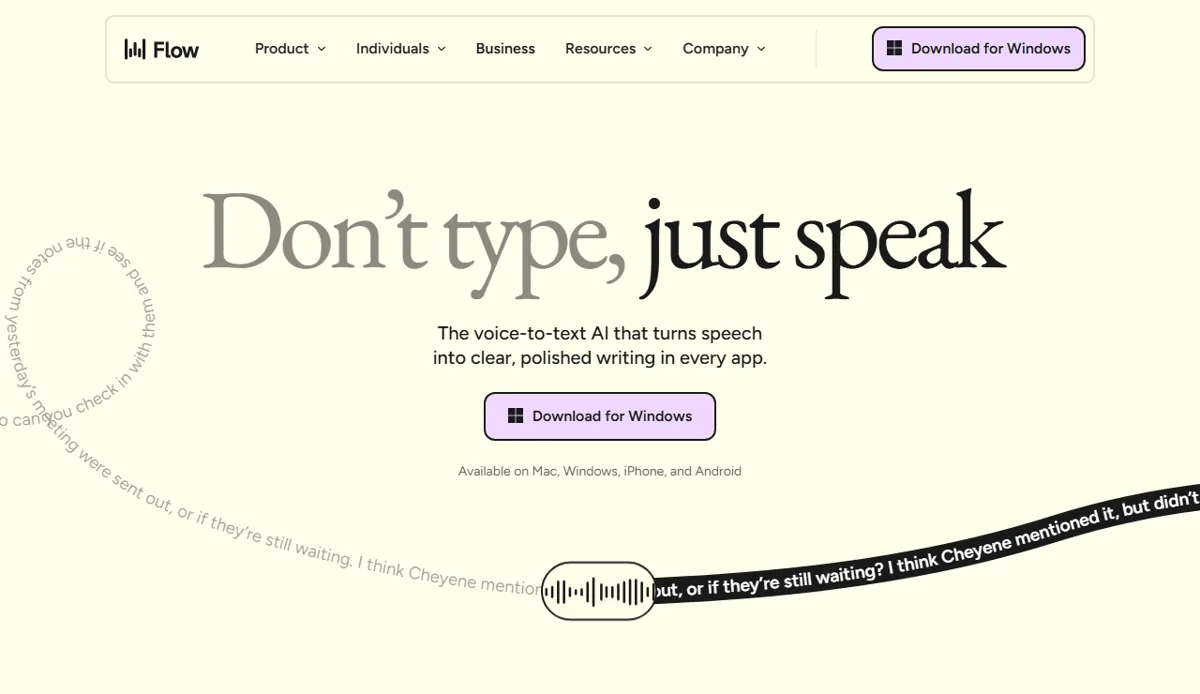 Wispr Flow runs as a background layer that types into any app. Public marketing page, June 2026.
Siri and Google Voice dictation require you to say your punctuation out loud (“comma”, “period”, “new line”). They also drop accuracy the moment you drift from a neutral accent or switch between ideas mid-sentence. They’re fine for a quick note. They’re unusable for client emails.
Wispr Flow works differently. It runs as a background layer on your Mac, activated by a keyboard shortcut. You speak naturally, with filler words, hesitations, incomplete sentences, and it cleans up the output before placing it in your cursor’s current position. It learns your vocabulary and writing patterns over time, so accuracy improves with use.
The critical distinction is where it types: directly into any app, without clipboard or copy-paste. You’re writing a client email in Gmail, you hit the shortcut, you dictate, and the text appears in the compose window. No app switching, no intermediate step.
This is the feature that makes it useful for overhead writing. It’s also the reason Siri isn’t a real substitute, Siri puts dictated text in a bubble; you still have to paste it somewhere.
What it’s not: A replacement for deliberate writing. For articles, long-form client deliverables, or anything that requires you to see structure on screen as you build it, most writers find dictation slower than typing. The tool is at its best when you know what you want to say and just need to get it out of your head.
The Freelancer Use Cases That Actually Work
Based on what users consistently report across reviews and community discussions, dictation genuinely saves time in these scenarios:
Client emails. This is the single strongest use case. You’ve already processed the client’s feedback mentally. You know what you want to say. Dictating a 300-word response takes 90 seconds. Typing it takes 5 minutes, minimum, more if you’re editing and second-guessing as you go.
Content outlines. Dictating the structure of an article, H2s, bullet points under each section, key claims to support, is fast when you have the ideas and just need to capture them. The output isn’t polished, but it doesn’t need to be. You’re building scaffolding.
Social media captions. Short, conversational, doesn’t require visual editing. Dictate, light cleanup, done.
Slack and async communication. Quick project updates, check-ins, responses to client questions. The kind of writing that doesn’t need to be excellent, just fast and clear.
Invoice notes and admin. Any structured-but-formulaic text you repeat weekly.
Where it doesn’t work well: Long-form articles where you need to see the argument building. Technical content requiring specific phrasing you need to verify on screen. Anything with complex formatting, tables, code blocks, structured lists, that dictation scrambles before you can fix it.
Where Wispr Flow Falls Short: The Honest Limitations
Mac only. This is the biggest limitation to state clearly up front. There is no Windows app as of mid-2026. If you work on Windows, Wispr Flow isn’t an option. Full stop.
Requires an internet connection. All processing happens in the cloud. On a reliable connection, latency is minimal. On a slow or unstable connection, you’ll notice delays between speaking and text appearing.
Privacy, read this before using with client materials. This matters for freelancers under NDAs. Wispr Flow processes audio through its cloud servers. Their privacy policy states they don’t sell data and don’t train on your audio, but your dictated content does leave your device. If you’re working with confidential client briefs, NDAs, or sensitive project details, check their current data retention policy before dictating anything you wouldn’t want cloud-processed. For general overhead writing, client emails, your own outlines, admin tasks, this is a non-issue for most freelancers.
$15/month pricing. It’s not expensive by SaaS standards, but it’s a tool with one primary function. The ROI calculation in the pricing section below matters, if the math doesn’t work for your use case, it’s not worth it.
Wispr Flow vs Dragon NaturallySpeaking: Is It Worth the Switch?
Dragon has been the professional dictation benchmark for 20 years. For context:
| Wispr Flow | Dragon Professional | |
|---|---|---|
| Price | $15/month | $500 one-time (Professional) |
| Platform | Mac only | Windows + Mac |
| Offline mode | No | Yes (local processing) |
| Accuracy | Very good | Excellent |
| App integration | Any app | Any app |
| Setup time | Minutes | Hours (training) |
| Best for | Casual/overhead dictation | Professional, high-volume, offline-required |
For most freelancers, this isn’t really a comparison. Dragon Professional costs $500 and requires training. Wispr Flow costs $15/month and works in minutes.
The real Dragon use case is professionals who need offline processing (lawyers, doctors, journalists in the field) or who dictate hundreds of hours annually and need maximum accuracy on technical vocabulary. For a freelance writer dictating 5–10 hours of overhead writing per week, Wispr Flow’s accuracy is adequate and the setup time is nearly zero.
If you’re coming from Dragon and switching platforms: reviewers generally find Wispr Flow’s UX meaningfully better, with slightly lower accuracy on highly technical terms. For general client communication and content work, the difference isn’t meaningful.
Wispr Flow Pricing: Is $15/Month Worth It for Freelancers?
Wispr Flow pricing is $15/month or approximately $144/year on an annual plan.
Here’s the ROI calculation that makes or breaks the decision:
Scenario A, Heavy email writer:
You write 20 client emails per week, averaging 5 minutes each = 100 minutes of email writing weekly. Dictation cuts this to roughly 2 minutes per email (90 seconds dictating + 30 seconds light cleanup) = 40 minutes. You reclaim 60 minutes per week, about 4 hours per month.
At a $50/hour freelance rate, 4 hours reclaimed = $200/month in recovered billable capacity. Wispr Flow costs $15. The math is clear.
Scenario B, Occasional user:
You write 5 client emails per week and don’t use it for anything else. You save maybe 20 minutes weekly. At $50/hour, that’s $166/month recovered. Still positive, but only if you actually dictate consistently. Tools you use occasionally don’t save time; they just add friction.
The honest answer: The ROI is real if email and overhead writing genuinely dominate your week. Freelancers who primarily write long-form deliverables for clients won’t see meaningful time savings, their writing is already the billable work, not the overhead.
Start the Wispr Flow free trial and test it on your inbox for 7 days before paying anything.
How to Use Wispr Flow in a Freelance Writing Workflow
Here’s a practical weekly structure based on how writers who use it regularly describe their workflow:
Morning: Dictate email responses
Start the day by going through your inbox. For each email that needs a thoughtful response, dictate it. A 5-minute email becomes 90 seconds of talking plus 60 seconds of reviewing and light editing. Clear your inbox in half the usual time.
During work: Dictate outlines before writing
When starting a new article or deliverable, dictate the structure first. H2s, bullet points, the key argument of each section, any specific data points you want to include. This gives you a scaffold to write into rather than a blank page, most writers find this useful regardless of whether they dictate the final copy.
End of day: Dictate admin, notes, updates
Project status updates for clients, notes from calls, invoice memos. Low-stakes writing where speed matters more than craft. Dictate it, glance at it, send it.
What stays typed: Everything where the quality of the writing is what the client is paying for. Articles, content deliverables, copy. Use dictation for overhead; use your own typing for the work itself.
Verdict: Who Should Use Wispr Flow
What We Liked
- Types directly into any Mac app without copy-paste friction
- Cleans up filler words and punctuation automatically
- Learns your vocabulary over time: accuracy improves with use
- 7-day free trial with no credit card required
- ROI math resolves quickly for email-heavy freelancers
Worth Knowing
- Mac only: no Windows version as of mid-2026
- Cloud-based: audio leaves your device (check NDA requirements first)
- $15/month is hard to justify if you rarely write overhead communication
- Not useful for long-form creative writing where structure matters
Use it if:
- You’re on Mac
- You write 2+ hours of client emails and overhead communication weekly
- Privacy is not a concern for your specific client work
- You want to cut overhead writing time, not replace creative writing
Skip it if:
- You’re on Windows
- Your weekly writing is primarily long-form deliverables for clients (not overhead)
- You’re under strict NDAs covering all project communications
- You’re looking for a tool to help write better, Wispr Flow makes you faster, not better
Free trial note: Wispr Flow offers a trial period. Before paying, use it exclusively for your actual email workflow for one week. If you’re not hitting the 30-minute weekly savings mark by day 7, the tool isn’t fitting your actual workflow and the $15/month isn’t justified.
Try Wispr Flow free and test it for one week on your email workflow before committing. Current pricing and plan details are on their site.
If you want to eliminate scheduling friction alongside dictation, see our Motion AI review for freelancers for how AI task scheduling compares on ROI math.
For voice dictation with local processing for NDA-protected work, see our Wispr Flow vs SuperWhisper comparison.
Frequently Asked Questions
Is Wispr Flow worth $15/month for freelance writers?
Does Wispr Flow work on Windows?
Is Wispr Flow safe for client work under NDA?
How is Wispr Flow different from Siri dictation?
Does Wispr Flow have a free trial?
Based on user reports, published reviews, and product documentation as of May 2026. No first-person testing by SoloBrief. Verify current feature set and privacy policy before subscribing.