This article contains affiliate links. If you buy through our links, we may earn a commission at no extra cost to you. We only recommend tools we’ve researched thoroughly, and I share my own experience where I have it.
TL;DR
- Hostinger Premium is $2.99 a month on a 48-month prepay and renews at $10.99. Bluehost Starter is $3.99 a month on a 36-month prepay and renews at $9.99 (both pricing pages, 11 October 2026). Budget for the renewal rate.
- Your site count over the term decides which plan tier you pay for, so check the site cap before the price.
- Hostinger costs less across the prepaid term, Bluehost costs less once both have renewed, and hPanel is easier for getting WordPress live.
- Bluehost suits you if you want the WordPress.org-recommended host, cPanel, or phone support.
The hosting bill that sends most freelancers to this comparison is the second one. You prepaid at a few dollars a month, the term ended, and the renewal charge landed well above the plan you thought you were on. Or you are about to buy, and you would rather that did not happen to you.
Hostinger and Bluehost both sell the same way: a low intro price tied to a multi-year prepay, a higher renewal rate after it, and add-ons offered at checkout. So the sticker price is the wrong number to compare. The number that decides your bill is one most freelancers have never written down: how many sites you will be running two years from now. A portfolio today turns into a portfolio, three client sites and a test build. Every plan tier on both hosts carries a site limit, the entry tier is the tightest, and outgrowing it mid-term means moving up a tier at a price you did not budget for. Work out that crossover point before you pick a plan; afterwards it costs you.
If your instinct says cheap hosting is a scheme to pull you into paying more later, that instinct is half right. The renewal step-up and the pre-ticked extras are where both hosts make their margin, and both state those terms if you read them. The defence is three numbers checked before you pay: the renewal rate, the site cap on your tier, and the add-ons you actually chose.
I can speak to one side of this directly. I have run sites on Hostinger’s managed WordPress Business plan: my own portfolio, a couple of WordPress blogs, client websites, and some build-a-SaaS-on-WordPress experiments. So the Hostinger half of this comparison is first-hand. The Bluehost half is research based, drawn from official documentation, current pricing, and the patterns freelancers report most often. I will be clear about which is which throughout.
The short version: for most freelancers, Hostinger is the better value and the easier daily experience. Bluehost earns its place if you specifically want the host WordPress.org recommends, or you prefer a US-based provider on cPanel. Neither one escapes the renewal price jump, and that catch matters more than the headline price.
If you would rather see both control panels side by side, this third-party comparison covers the same ground.
Hostinger vs Bluehost, ULTIMATE comparison for 2026
Quick Verdict: Hostinger vs Bluehost
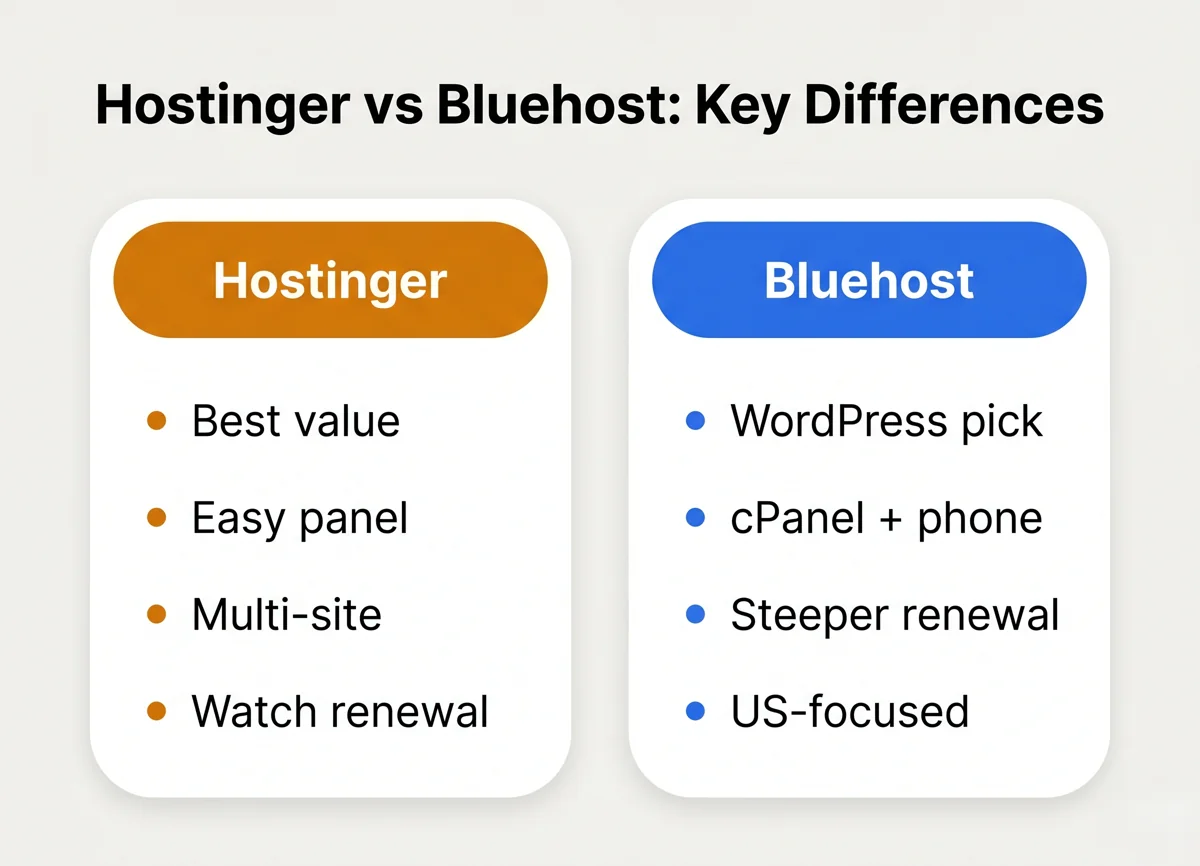 The short version of how the two hosts differ for freelancers.
| Hostinger | Bluehost | |
|---|---|---|
| Intro price (entry plan) | Premium, $2.99/mo on a 48-month prepay ($143.52 upfront) | Starter, $3.99/mo on a 36-month prepay |
| Renewal price (entry plan) | $10.99 a month, about 3.7x the intro rate | $9.99 a month, about 2.5x the intro rate |
| Control panel | hPanel (custom, beginner friendly) | cPanel (industry standard, busier) |
| WordPress | One-click install, managed WP plans | One-click install, WordPress.org recommended |
| Free domain (year 1) | Yes, on annual plans | Yes, on annual plans |
| Free SSL | Yes | Yes |
| Sites per plan | 3 on Premium; no cap on Unlimited ($3.99 a month, renews at $16.99) | 10 on Starter; 50 on the $6.99 a month tier (renews at $13.99) |
| Owned by | Hostinger International | Newfold Digital |
| Support | 24/7 live chat | 24/7 live chat and phone |
| Money-back window | 30 days | 30 days |
Pick Hostinger if: you want the lowest real cost across the term, you are newer to hosting and want a panel that does not overwhelm you, or you plan to run several WordPress sites (portfolio plus client work) on one plan.
Pick Bluehost if: you specifically want the WordPress.org-recommended host, you are comfortable with cPanel, or you prefer a US-headquartered provider with phone support.
Check Hostinger’s current freelancer plans and pricing →
| Rating | 4.2/5 |
| Price | $2.99/mo for 48 months, renews at $10.99/mo |
| Best for | Freelancers who want the lowest real cost and an easy panel for portfolio plus client sites |
| Skip if | You specifically need the WordPress.org-recommended brand or prefer cPanel |
| See Hostinger plans → | |
| Price | $3.99/mo for 36 months, renews at $9.99/mo |
| Best for | Freelancers who want the WordPress.org-recommended host or prefer cPanel and US-based support |
| Skip if | Your priority is the lowest total cost or the simplest control panel |
| See Bluehost plans → | |
Prices are entry-plan rates from each host’s public pricing page, checked 11 October 2026, before tax. They change often, so confirm them at checkout.
Price: Where Freelancers Actually Get Caught
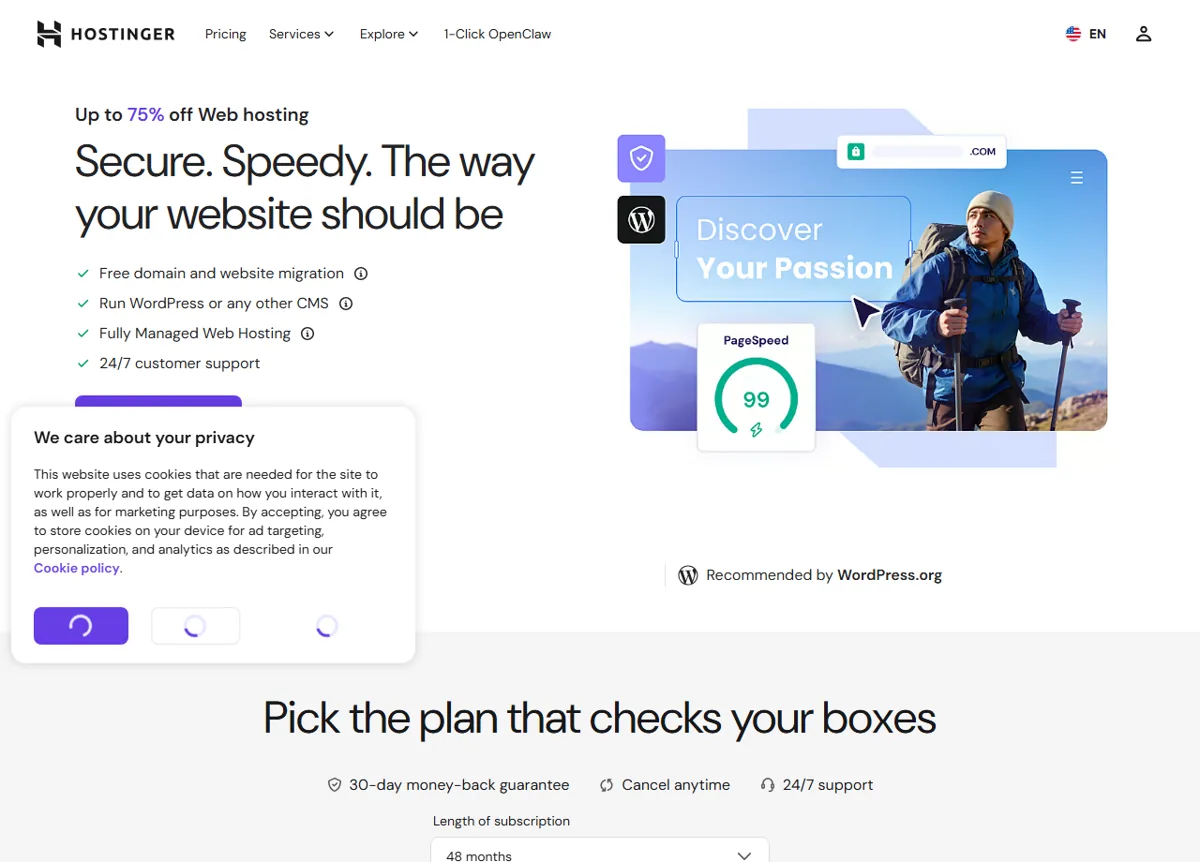 Hostinger’s pricing page. The discount is tied to a long subscription term (note the 48-month default), which is the prepay catch this section is about. Public pricing page, June 2026.
Both hosts run the same playbook. The price you see advertised, $2.99 a month on Hostinger and $3.99 a month on Bluehost as of 11 October 2026, is an introductory rate that requires prepaying for a long term: 48 months on Hostinger, 36 on Bluehost. It is a real discount, but it ends.
This is the part I learned firsthand on Hostinger. The intro term was genuinely cheap and the value was excellent while it lasted. The renewal was the one unwelcome surprise: it stepped up to a meaningfully higher monthly rate. Nothing dishonest happened, the terms were stated, but if you only look at the headline number you will misjudge what hosting costs you in year three.
Bluehost works the same way with a smaller step. Its pricing page on 11 October 2026 lists Starter at $3.99 a month for 36 months, renewing at $9.99. Hostinger Premium goes from $2.99 to $10.99. On Bluehost, the add-ons offered at checkout are the other place the bill grows, and they are easy to leave ticked.
The freelancer move is the same for either host:
- Lock in the longest term you are comfortable prepaying to hold the intro price as long as possible.
- Write down the renewal rate before you buy, not the promo rate. That is your real ongoing cost.
- Uncheck the extras at checkout you did not specifically decide you need. Site backups can be worth it; some of the security and SEO upsells are not.
Run the entry plans over four years. Hostinger Premium is $143.52 for all 48 months. Bluehost Starter holds its intro rate for 36 months, then bills the fourth year at the renewal rate, so over the same four years it costs close to twice as much. Hostinger costs less across the prepaid term, mostly because it holds the intro rate a year longer. Once both have renewed, Bluehost Starter is a dollar a month cheaper and holds more sites. If price decides it for you, compare the total for the years you will keep the site, not the monthly figure.
Compare Hostinger’s current term pricing →
Site Count: The Number That Sets Your Real Bill
Comparing the two entry plans on price is the comparison both hosts would like you to make. The question that decides which tier you end up paying for is how many sites you will host during the term you prepay.
| Where you expect to be in two years | What that means at checkout |
|---|---|
| One portfolio site, nothing else | Either entry plan is enough: Hostinger Premium holds 3 sites, Bluehost Starter holds 10. Lock the longest term you are comfortable prepaying. Our guide to launching a freelance portfolio site covers the rest. |
| Portfolio plus a few client sites | Three sites fit Hostinger Premium. At four or more, Hostinger’s next plan is Unlimited at $3.99 a month (renews at $16.99), while Bluehost Starter covers you up to 10. Buying the right tier now at the intro rate beats upgrading mid-term. |
| Portfolio, client sites and test builds | You need a plan built for many sites: Hostinger Unlimited, or Bluehost’s 50-site tier at $6.99 a month (renews at $13.99). This is the setup I ran on Hostinger’s Business WordPress plan. |
The crossover in plain numbers: at four to ten sites, Hostinger Unlimited at $191.52 for 48 months still costs less over four years than Bluehost Starter. From year five the order flips, because Unlimited renews higher than Starter does.
Caps and prices are as listed on each host’s public pricing page on 11 October 2026, before tax. They change more often than you would expect, so read the current limit before you buy rather than trusting any list, including this one.
Setup and Control Panel: hPanel vs cPanel
This is where my Hostinger experience was the most positive, and it is the difference a freelancer feels every single week.
Hostinger uses hPanel, its own control panel, instead of the traditional cPanel. For getting a WordPress site live, hPanel is genuinely easy: you pick WordPress, it installs, and you are editing your site within minutes. Spinning up a new client site, pointing a domain, adding an email forwarder, or restoring a backup are all a few clicks without hunting through dense menus. As someone who has set up a portfolio, client sites, and throwaway test builds, the time from “I bought hosting” to “the site is up” was short and frustration free.
Bluehost uses cPanel, the long-standing industry-standard panel. cPanel is more powerful and more universal, and if you already know it from another host, you will feel at home. The trade-off is that it is busier and less guided. For a freelancer who just wants the site live and does not want to become a sysadmin, cPanel asks for more attention than hPanel does. Bluehost layers its own WordPress dashboard on top to soften this, which helps.
If your goal is to launch fast and manage simply without thinking about the server, Hostinger’s hPanel is the friendlier tool, and the steps are in our walkthrough on setting up WordPress on Hostinger. If you value cPanel familiarity or expect to do more advanced server-side work, Bluehost’s approach is fine.
What We Liked
- Hostinger: hPanel is beginner friendly, fast from signup to live WordPress site
- Lower total cost across a 48-month prepaid term
- The $3.99/mo Unlimited plan has no site cap, good for portfolio plus client work
- Managed WordPress features (staging, daily backups) on the plan I used
- Free domain year one and free SSL on annual plans
Worth Knowing
- Hostinger: Premium renews at $10.99/mo, about 3.7x its intro rate, budget for it
- Hostinger: Premium is capped at 3 sites
- hPanel is custom, so cPanel skills do not transfer directly
- Phone support is limited compared to Bluehost
- Bluehost: the intro rate holds for 36 months, not 48, so the renewal arrives a year sooner
- Bluehost: checkout pushes add-ons that are easy to leave selected by mistake
WordPress: Does the Official Recommendation Matter?
Bluehost’s strongest card is trust. It has been one of the few hosts officially recommended on WordPress.org for years. For a freelancer who wants the safest-looking default, that badge is reassuring, and it is a legitimate signal.
But it is worth being honest about what the recommendation does and does not mean. It does not make Bluehost faster than Hostinger, and it does not make it cheaper. Both hosts offer one-click WordPress installs, automatic updates, free SSL, and managed WordPress plans with staging and backups. In day-to-day use, a WordPress site on Hostinger and a WordPress site on Bluehost feel more alike than different.
Where Hostinger pulled ahead for my use case was running several WordPress installs at once. On the Business WordPress plan I had a portfolio, client sites, and experimental builds living side by side, with staging environments to test changes before pushing them live. For freelancers who treat WordPress as both their shop window and their client delivery platform, that headroom matters more than a recommendation badge.
If the WordPress.org endorsement is the thing that will make you feel confident, Bluehost is a sound choice. If you care more about how many sites you can run and what it costs, Hostinger wins on substance.
Support, Reliability, and Ownership
Both hosts offer 24/7 live chat, free SSL, a 30-day money-back guarantee, and uptime that is fine for portfolio and small-business sites. A few differences a freelancer should weigh:
- Phone support: Bluehost offers phone support in addition to chat. Hostinger leans on 24/7 live chat. If talking to a human on the phone matters to you, that is a point for Bluehost.
- Data center location: Bluehost is US-centric. Hostinger operates data centers across multiple regions, so if your clients or audience are outside the US, you can host closer to them for faster load times.
- Ownership: Hostinger is run by Hostinger International. Bluehost is owned by Newfold Digital, the large group behind several legacy hosting brands. This is not a dealbreaker either way, but it explains some of the heavier upsell style on Bluehost.
For the typical freelancer running WordPress portfolio and client sites, both are reliable enough. The deciding factors come back to cost, control panel, and how many sites you need to run.
See Bluehost’s current plans → or check Hostinger’s freelancer pricing →
Drawbacks of Each Host
Hostinger: the renewal rate is the drawback I would warn any freelancer about, from my own bill. hPanel is custom, so cPanel habits do not carry over, and phone support is thinner than Bluehost’s.
Bluehost: the intro rate holds for 36 months against Hostinger’s 48, so the renewal arrives a year sooner, and the checkout offers extras that are easy to leave selected. cPanel asks more of a freelancer who only wants the site live.
Who Should Pick Which
Choose Hostinger if you are a freelancer who:
- Wants the lowest cost across a four-year prepaid term, not just the intro month.
- Is newer to hosting and wants a control panel that does not get in the way.
- Plans to run multiple WordPress sites: your portfolio plus client work on one plan.
- Wants managed WordPress features like staging and daily backups without paying a premium.
This is the recommendation for most readers of this site, and it matches my own experience.
Choose Bluehost if you are a freelancer who:
- Specifically wants the host that WordPress.org officially recommends.
- Already knows and prefers cPanel.
- Wants US-based hosting with phone support as well as chat.
Whichever you choose, treat the renewal price as the real price, prepay the longest term you are comfortable with, and uncheck the add-ons you did not deliberately decide to buy.
Frequently asked questions
Is Hostinger or Bluehost better for freelancers?
Which is cheaper, Hostinger or Bluehost?
Does Hostinger or Bluehost include a free domain?
Is Bluehost better for WordPress because WordPress recommends it?
What is the catch with the cheap hosting price?
If you want the full breakdown of Hostinger on its own, including the exact plans and the freelancer setup steps, see the Hostinger review for freelancers. And if you are still weighing other options, the best web hosting for freelancers roundup compares both of these against the rest.
MJ runs SoloBrief.co, a site covering AI tools and software for freelancers and one-person businesses. The Hostinger sections of this article are based on first-hand use of Hostinger’s managed WordPress plans. The Bluehost sections are research based, drawn from official documentation and the public pricing pages as checked on 11 October 2026. Verify current pricing on each host’s site before buying, since promotional and renewal rates change.